
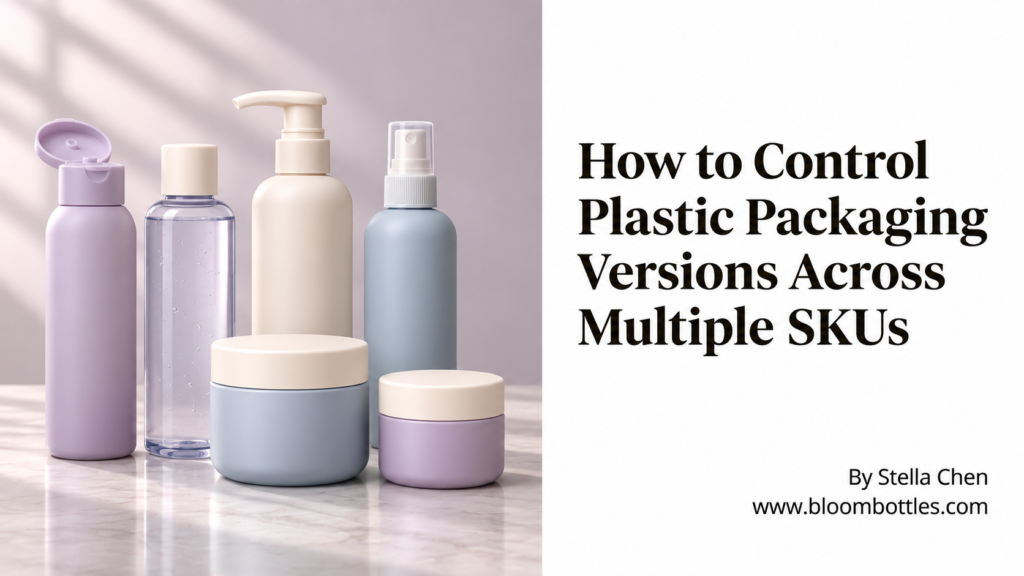
One bottle may be used for three SKUs. Two SKUs may share the same pump but use different dip tube lengths. Another version may look identical except for the artwork, liner or PCR percentage.
This is where plastic packaging version control becomes important. As a packaging program grows, the risk is not always that the supplier cannot make the component. The risk is that the wrong approved-looking version enters sampling, production, filling or shipment.
A practical version-control system helps the brand, contract manufacturer and packaging supplier identify exactly which bottle, closure, artwork and packing configuration belong to each SKU.
Why Packaging Version Mix-Ups Become More Likely as SKUs Grow
Packaging programs often begin simply.
A brand may start with one bottle, one pump and one decoration. Later, the same packaging family expands into different formulas, sizes, colors or markets.
The components may still look almost identical, but small differences become commercially important.
- Different artwork for each SKU
- Different pump output
- Different dip tube length
- Different bottle or closure color
- Different PCR percentage
- Different liner or sealing requirement
- Different carton mark
- Different destination-market information
Without clear version control, “same bottle” can quickly become an incomplete description.
1. Give Every Packaging Component a Clear Reference
The first step is to stop identifying components only by appearance.
A useful project reference may include:
- Internal item number
- Supplier item number
- Customer SKU
- Capacity
- Material
- Neck finish
- Color
- Closure or pump model
- Decoration version
The exact numbering system matters less than consistency. The same reference should appear on specifications, samples, production records and shipment information wherever practical.
2. Separate Shared Components From SKU-Specific Components
Not every SKU needs a completely different packaging specification.
A bottle may be shared across five products while the pump, label or decoration changes by SKU.
A simple packaging matrix can show which components are common and which are unique.
- SKU A: shared bottle + white pump + artwork A
- SKU B: shared bottle + white pump + artwork B
- SKU C: shared bottle + spray pump + artwork C
- SKU D: shared bottle + pump with different dip tube + artwork D
This makes it easier to see which change affects one SKU and which change affects the entire packaging family.
3. Use Revision Numbers or Dates for Controlled Specifications
A packaging specification should show which version is current.
For example:
- Revision 01: initial approved version
- Revision 02: pump changed
- Revision 03: dip tube updated after filling test
- Revision 04: carton quantity revised
The revision history does not need to become complicated. It simply needs to make the current version clear and show what changed.
If your project still relies mostly on quotations and email history, see how to build a plastic packaging specification sheet before production.
4. Keep Artwork Versions Connected to the Physical Packaging
Artwork files are one of the easiest places for old versions to return.
A file name such as “final artwork” becomes confusing once another change creates “final artwork new” or “final artwork approved.”
A better system connects the artwork to the SKU and revision.
Before production, confirm that the approved decoration file matches the correct bottle or jar, printing area and current SKU.
For decoration-file preparation, see how to prepare decoration artwork for plastic packaging before production.
5. Control Sample Versions as Carefully as Production Files
Physical samples also need version control.
During development, the brand or CM may receive several samples that look very similar but represent different stages.
- Initial reference sample
- Color sample
- Decoration sample
- Component-fit sample
- CM testing sample
- Final approved master sample
Label samples clearly when they leave the supplier. Where possible, include the item number, SKU, revision and purpose of the sample.
This helps prevent an early development sample from becoming the production reference months later. See how to avoid plastic packaging sample mistakes before testing for more detail.
6. Do Not Let a Small Component Change Stay Only in Email
Many version problems start with a small approved change.
For example:
- Change the cap from natural to white
- Shorten the dip tube
- Add an induction liner
- Increase PCR content
- Move the printing position
- Change the carton quantity
The team may agree to the change by email, but if the specification, sample reference or production record is not updated, the previous version can return on the next PO.
For production-stage revisions, see how to control plastic packaging change requests during production.
7. Confirm Version Control Before Every Repeat Order
A repeat order should not start with only one instruction: “same as last order.”
Before production, confirm the current approved version of the components that matter.
- Bottle or jar
- Pump or closure
- Color
- Dip tube
- Liner
- Decoration
- Artwork
- Carton configuration
This becomes especially important when several repeat orders have included small changes over time.
Our guide to controlling packaging consistency across repeat orders covers the broader repeat-production process.
8. Use Version Control When Multiple CMs or Locations Share the Same SKU
Version control becomes even more important when the same product is filled at more than one contract manufacturer or location.
One CM may still have old samples. Another may have already tested a revised pump. A third location may use a different carton configuration.
The packaging supplier and brand should make clear whether all locations are moving to the same revision or whether different approved configurations will remain active.
Without that distinction, one location can unintentionally reorder a version that another location has already replaced.
9. Separate Obsolete Versions From Current Production References
Old specifications and samples do not always need to be deleted. They may still be useful for traceability.
But obsolete versions should be clearly separated from current production references.
For example, an old file can be marked as:
- Obsolete
- Superseded
- For reference only
- Not for production
The purpose is simple: someone opening the file months later should immediately know whether it can still be used for production.
10. Carry the Correct Version Through to Shipment Release
Version control does not end when production finishes.
Before shipment, confirm that the physical goods, carton identification and shipment records all correspond to the approved SKU version.
This is particularly important when similar SKUs share the same bottle but use different decoration, pumps or carton marks.
For the final export check, see how to prevent plastic packaging shipping errors before export.
What Does Not Need to Be Perfect Before Version Control Starts?
A project does not need a complex software system before it can improve packaging version control.
You can start with a controlled spreadsheet, specification sheet or project matrix that identifies:
- Current SKU
- Current component
- Current revision
- Approval date
- Approved sample reference
- What changed from the previous version
The important point is not the software. It is having one source that everyone recognizes as the current production reference.
Practical Plastic Packaging Version Control Checklist
- Assign clear component references
- Separate shared and SKU-specific components
- Use revision numbers or dates
- Record what changed between versions
- Link artwork to the correct SKU
- Identify physical samples clearly
- Update specifications after approved changes
- Confirm the current version before repeat orders
- Align versions across multiple CMs or locations
- Mark obsolete files clearly
- Keep the approved production reference accessible
- Confirm the correct version again before shipment
Final Thought
Packaging version control is not only a document-management task.
It protects the link between what the brand approved, what the contract manufacturer tested, what the supplier produced and what finally reaches the filling line.
As the number of SKUs grows, a clear version system can prevent small packaging differences from becoming expensive production, filling or shipment mistakes.
FAQ
Do we need different packaging specifications for every SKU?
Not always. Several SKUs may share the same bottle, pump or closure. A packaging matrix can identify shared components while separate SKU records control artwork, color, dip tube or other differences.
What is the simplest way to start plastic packaging version control?
Start with one controlled record that lists each SKU, component reference, current revision and approval status. A spreadsheet can work well before a more formal system is needed.
Should old packaging specifications be deleted?
Not necessarily. Historical versions can help with traceability, but they should be clearly marked as obsolete or superseded so they are not reused for production.
When should the packaging version be checked again?
Check it before sampling, testing, repeat production and shipment release. Also update the record whenever an approved change affects a component, artwork, color, packing method or other controlled specification.